
Text goes straight to the cursor
No copying between windows. Your clipboard stays as it was.

Thought into words. Voice into text
Keyboardyou type letter by letter
SAYRILspeak English, get Spanish
You say«Draft a five-slide presentation outline for the product launch»
Ctrlhold while you speak, then release
No copying between windows. Your clipboard stays as it was.
After activation no network is needed, so VPNs and connection drops do not get in the way.
You set how terms and names are spelled. In Pro and Corporate.
Buy Base once, and it works with no time limit on 2 devices.
SAYRIL enters text into the program you are working in.
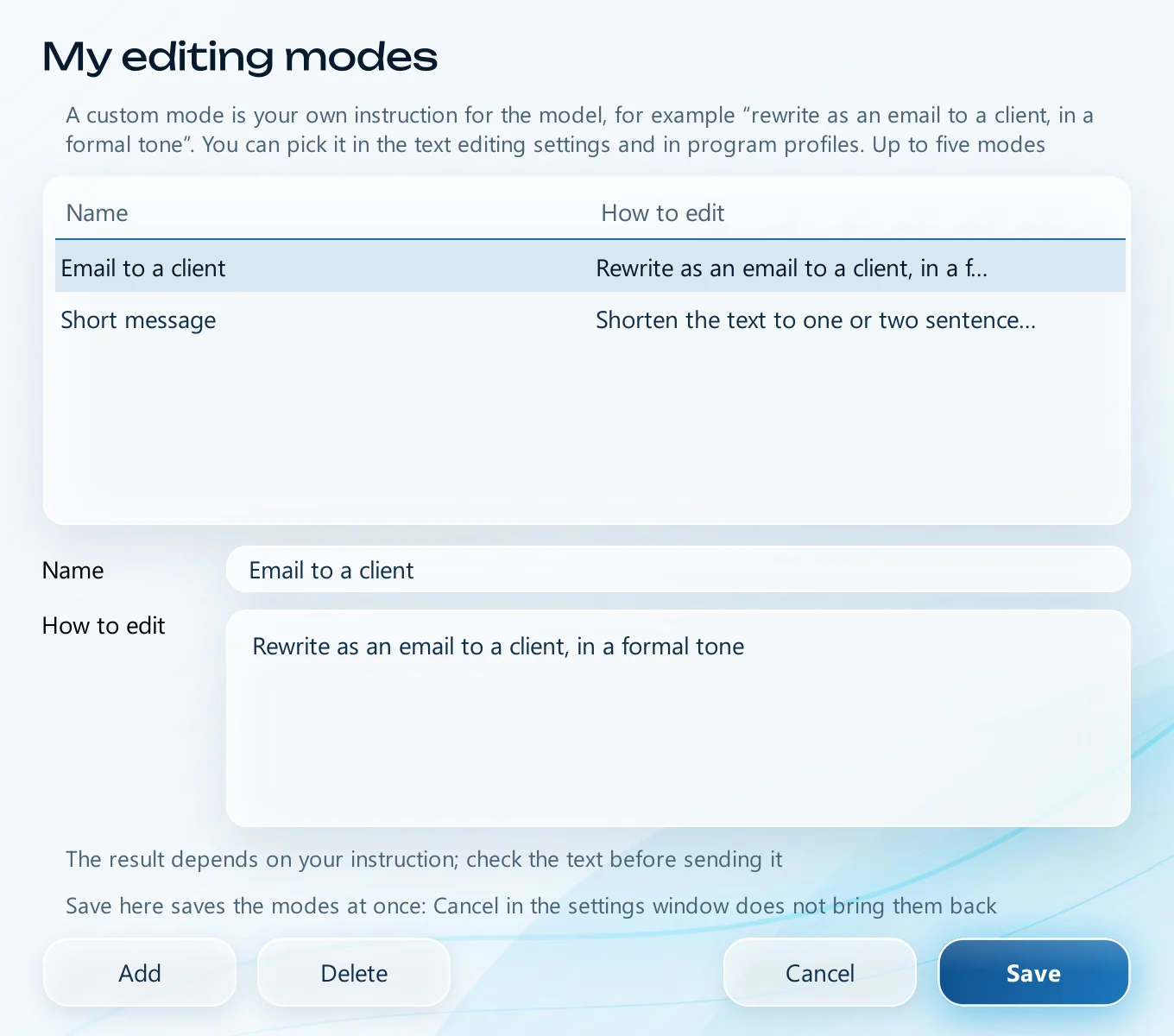
Home, recognition, history, file transcription and editing modes
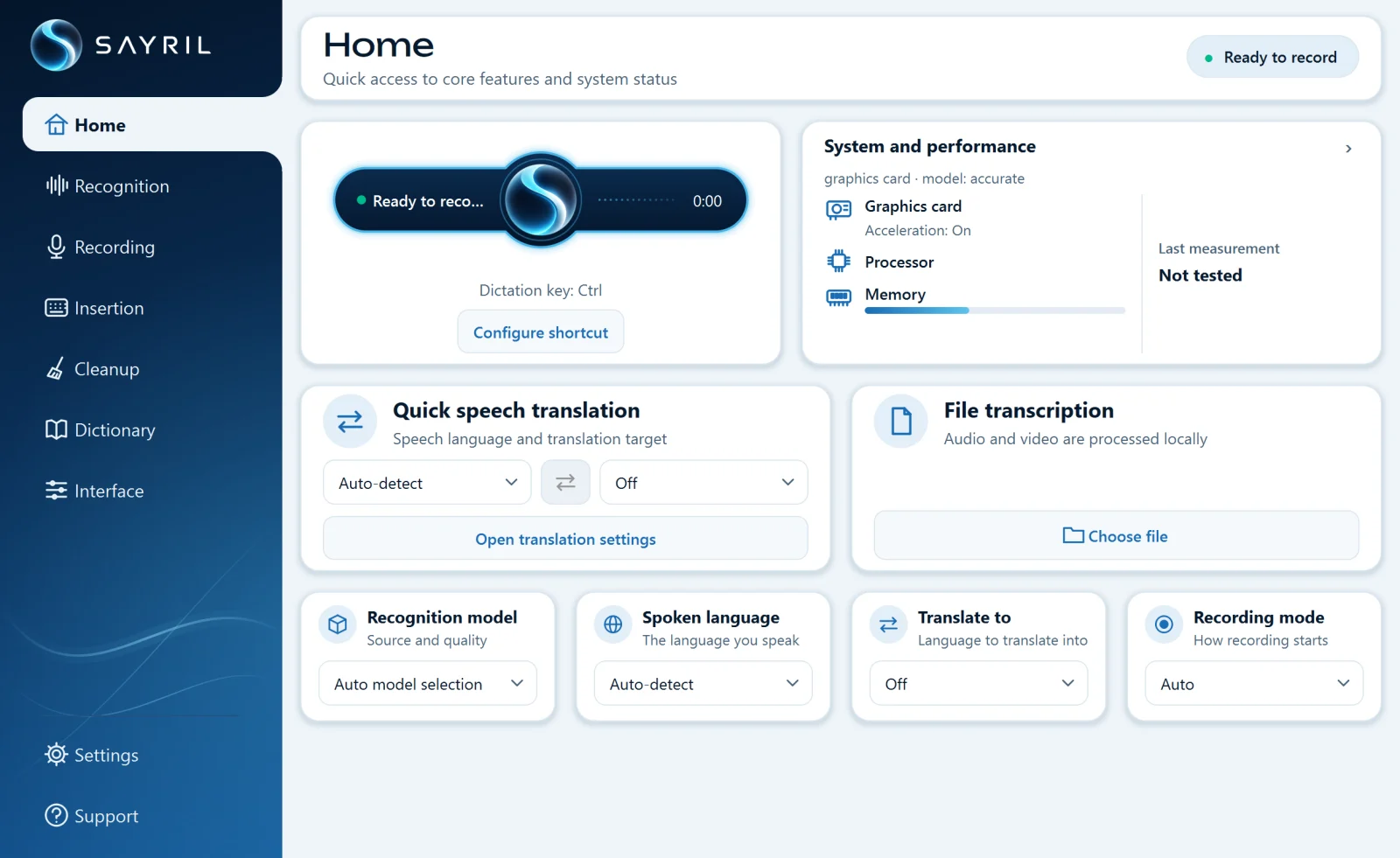
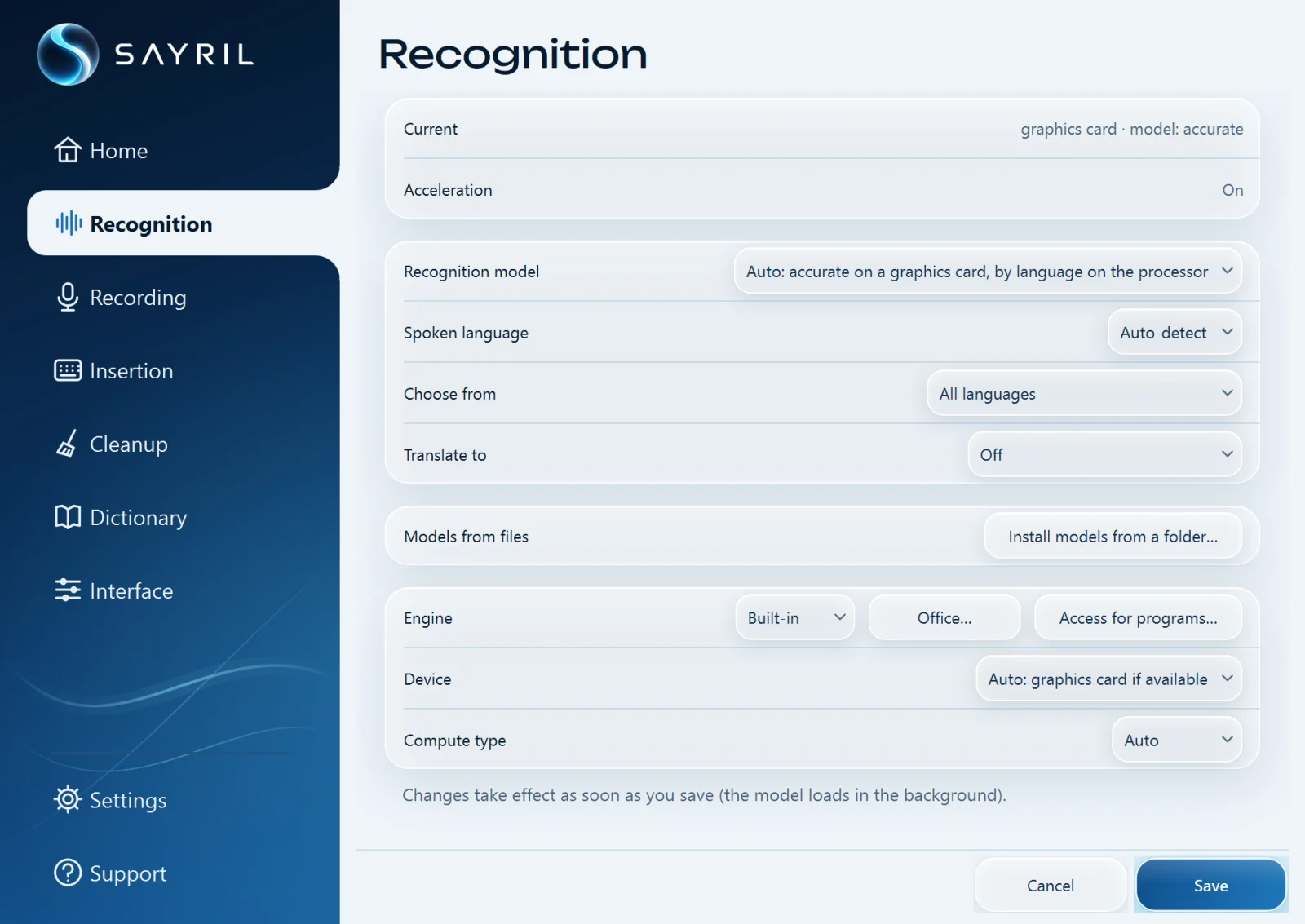
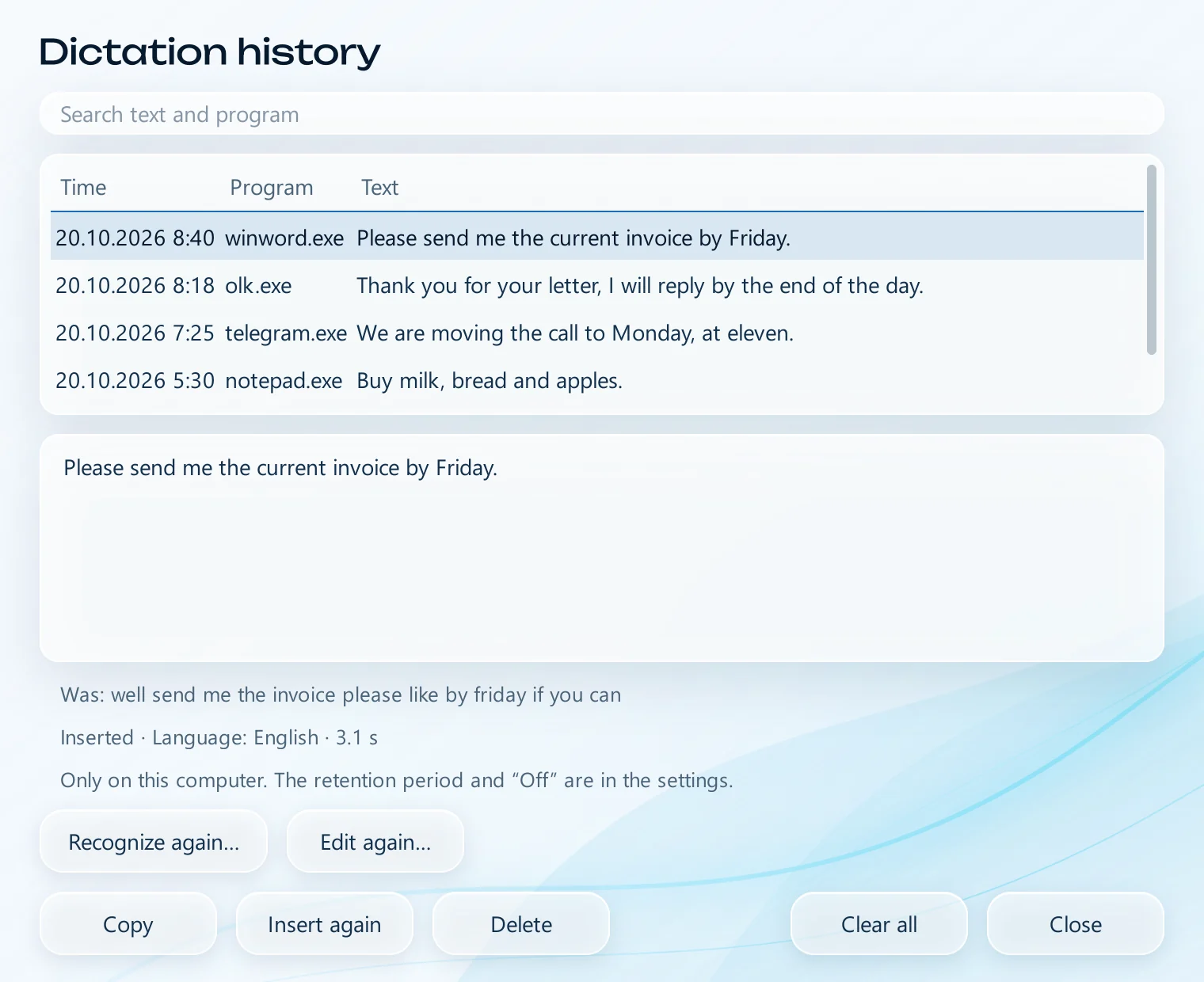
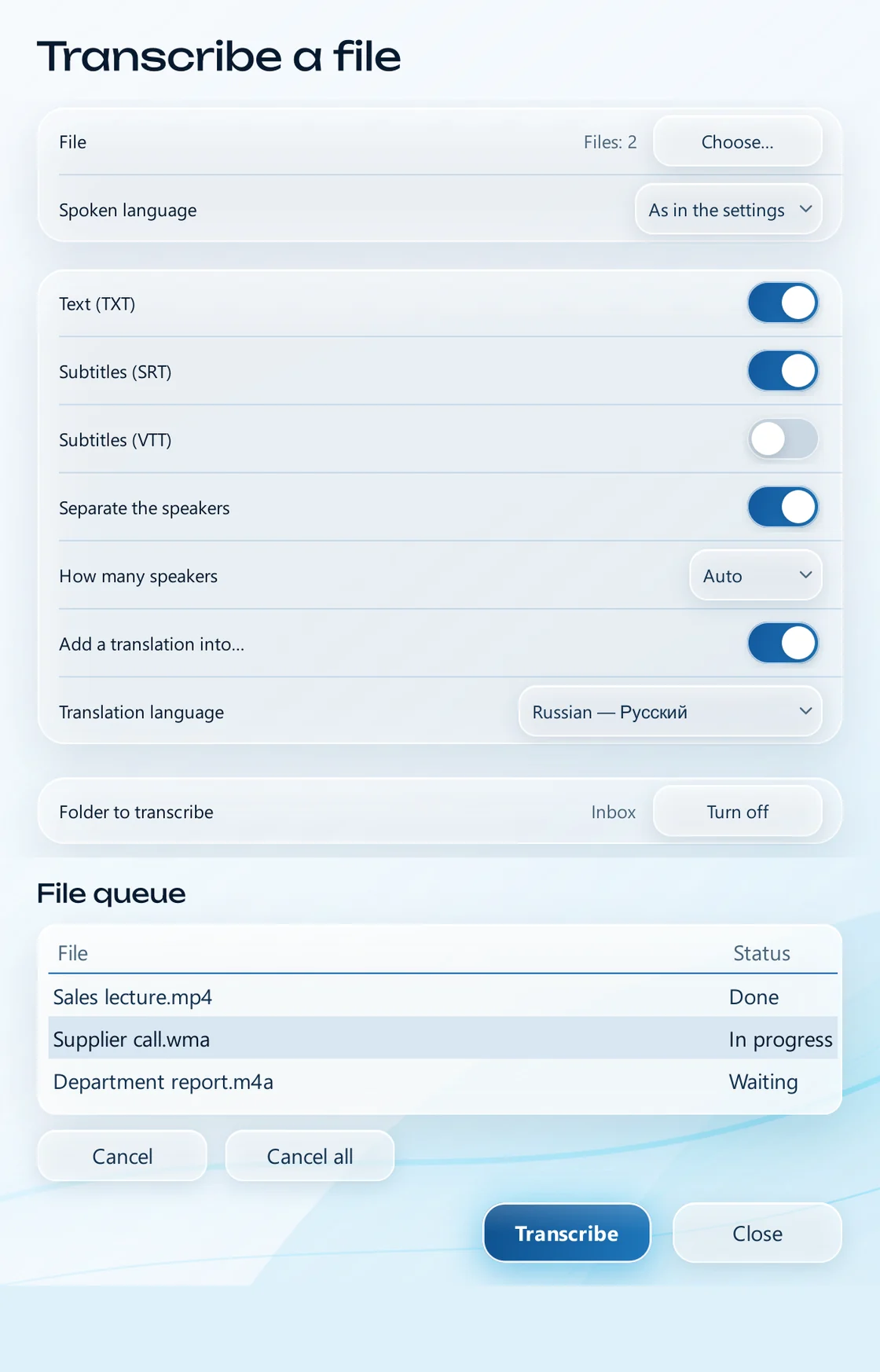
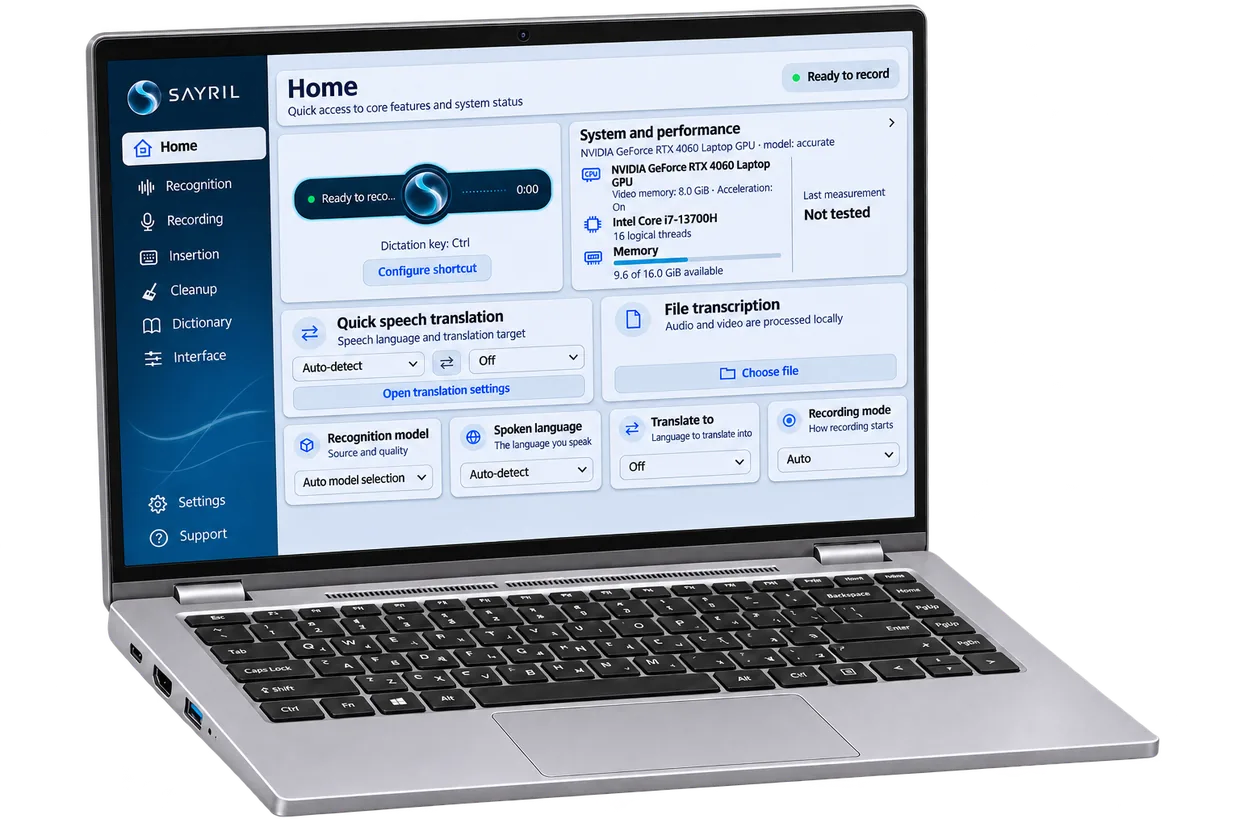
SAYRIL runs on a desktop or laptop with 64-bit Windows 10, 11 or Linux. Speech is recognised on that computer; no internet connection is needed for it.

The installer and the models are in your account, 7.30 GiB in total.
No administrator rights needed. The installer is not digitally signed yet, and Windows will warn you about it.
All features work for 72 hours.
Step-by-step installation and activation · Recommended specs
Each key can be changed in the settings. A quick Ctrl+C or Shift with a letter does not start recording.
Hold and speak.
Inserts the text and presses Enter: for chats and AI assistants.
The first press starts recording, the second stops it.
| What we compare | Typing by hand | Cloud voice typing | SAYRIL |
|---|---|---|---|
| Internet required? | No | Yes | Only for activation |
| Translation during input | No | Depends on the service | 44 languages |
| Payment | – | Free or subscription | One-time or subscription |
775 FLEURS-ru phrases, punctuation not scored.
On a graphics card. On the processor, 0.3–2 s.
Measured on FLEURS. The 18 additional languages have 10–25%.
Your computer will give different numbers.
All features are free for the first 72 hours. Sales are not open yet.
One payment, and Base features work without a time limit, including in new versions of the program. Pro features are available with a subscription.
Sales are not open yet
Everything in Base, plus file transcription, meetings, text editing by the model and new Pro features while the subscription is active.
Sales are not open yet
Team licenses, priced per seat.
₽ per seat per month, depending on the number of seats. The price applies to all seats in the order.
Sales are not open yet
Yes. Speech recognition, translation and text editing run on your computer, and the models are stored on disk. The internet is needed only to download the files and get the license file. Offline
No, and the program has no telemetry either. Text inserted into another program is handled under that program's rules. The program contacts the server for online activation. If a subscription key is saved in the program, it also automatically requests the next month you have already paid for: once a day, from five days before the term ends until 30 days after it ends. It sends the key, the device code and the program version. Offline
A graphics card is not required: without one, the processor does the work. You need 64-bit Windows 10 (version 1809 or later), Windows 11 or Linux, and a microphone; translation and text editing also need a processor with AVX2. On Windows, 3.8 GiB of RAM is recommended for dictation with Windows 10 and 6.6 GiB with Windows 11; other features need more. Test SAYRIL during the free 72-hour trial. Recommended specs
The speech recognition, translation and text editing models run on your computer, so they are downloaded with the program: the installer and one archive with all models, 7.30 GiB in total. You download them once; after that the program downloads nothing more. Download
The installer does not have a digital signature yet. Compare the SHA-256 of the file with the checksum in the “Downloads” section of your account, then click “More info” → “Run anyway”. Installation and activation
Try it first: for 72 hours all features work free of charge, without a purchase. If you bought it and changed your mind, the law lets you cancel Base within 7 days, not counting the day of purchase, and get the full amount back. You can cancel a paid month of Pro before it ends and get back the part for the remaining time; a month that has not started yet is refunded in full. Organizations get refunds in the cases provided for by law. Refund Policy
All features for 72 hours. You can download the installer in your account after registration.
Registration → account → installer → 72 hours with all features